M4A to MP3 ConverterConvert M4A to MP3, Free Download |
 |
| Home | Getting Started | Download | Buy Now | Screen Shots | FAQ | Support | Contact |
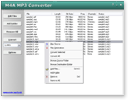
M4A to MP3 Converter converts M4A to MP3 and MP3 to M4A quickly. The software is an easy-to-use and ALL-IN-ONE audio converter that supports more than 110 audio and video files, and keeps ID3 tag when converting. It's full compatible with Windows 10/8/7/Vista/XP/2000. M4A to MP3 Converter is also a M4B audiobook converter that could convert any file formats to M4B audiobook. The M4B audiobook is compatible with iPod, iPad, and iPhone. The software could convert multiple files and join to one M4B audiobook. You can convert files to MP3, M4A, M4B audiobook, FLAC, AIFF, ALAC, CAF, OGG, AAC, and WMA with the converter. If you need to extract audio from video file such as AVI, WMV, MPEG-1, MPEG-2, MPEG-4, DVD, and QuickTime MOV, it's also possible with the software. The converter supports batch conversion. You could add bulk of files and then convert them at a time. M4A to MP3 Converter enables user to change encoding parameters of target files such as codec, sample rate, bit rate, and channels. So you can customize target file as you prefer to. The software could normalize volume of M4A, M4B, MP3, and other files automatically so that the output files have the same volume. M4A stands for MPEG 4 Audio, it is a filename extension used to represent audio files. MPEG-4 Part 14 is a container format, MPEG-4 files may contain any number of audio, video, and even subtitle streams, making it impossible to determine the type of streams in an MPEG-4 file based on its filename extension alone. In response, Apple Inc. started using and popularizing the .m4a filename extension, which is used for MP4 containers with audio data in the Advanced Audio Coding (AAC) or its own Apple Lossless (ALE, ALAC) formats. Audio book and podcast files, which also contain metadata including chapter markers, images, and hyperlinks, can use the extension .m4a, but more commonly use the .m4b extension. An .m4a audio file cannot "bookmark" (remember the last listening spot), whereas .m4b extension files can.
M4A to MP3 Converter is 100% clean and safe to install.
It's certified by major download sites.
Top 10 Benefits of M4A to MP3 Converter:
M4A to MP3 Converter converts M4A files into MP3 format. So you can play it in your MP3 or iPod player. If you want to burn your M4A onto a CD and play in your CD player, you should convert them into WAV format first. M4A to MP3 Converter is a great M4B audiobook converter software that converts any files to M4B audiobook format. The outputted M4B file is compatible with iPod, iPad, iPhone, and iTunes. You can rip your audio CD into M4A files by M4A to MP3 Converter. Why not MP3? Because M4A files are generally higher quality and slightly smaller than MP3 files of the same song; and more and more portable devices support M4A file now. You can also rip CD to M4B audiobook. The software can add ID3 tag (includes title, artist, album, year, comment and genre) when converting files to MP3/MP4/M4A/M4B. The software also supports to keep ID3 tag (includes ID3v1 and ID3v2) of original files when converting. If the volume of original files is too low or high, M4A to MP3 Converter could increase or decrease volume automatically so that all output files have the same volume. You could change volume manually with the converter. It's a ideal program to make M4B audiobook. You don't need to handle multiple audio chapters, but make one big M4B audiobook that can be "bookmarked" by iPod/iPhone/iTunes automatically. The software could join files to other file formats such as MP3, WMA, etc. M4A to MP3 Converter supports batch conversion. You can add multiple M4A files or a folder, or drag and drop several M4A files and folders onto main window of the converter; it will search all M4A files and add them to conversion list, and convert in batch. If you have bulk of M4A files within different folders, and you want to convert them to MP3/WAV format and output to another folder or driver and keep the original directory tree, you can use the feature we designed for you. M4A to MP3 Converter is very easy-to-use without knowledge of M4A and MP3. File Formats M4A to MP3 Converter Supported:
M4A to MP3 Converter Key Features:
M4A to MP3 Converter Quick Info:
M4A to MP3 Converter Tutorials:
|



| Home | Getting Started | Download | Buy Now | Screen Shots | FAQ | Support | Contact | Links |
| Copyright © 2008-2014 Hoo Technologies All rights reserved. Privacy Policy |